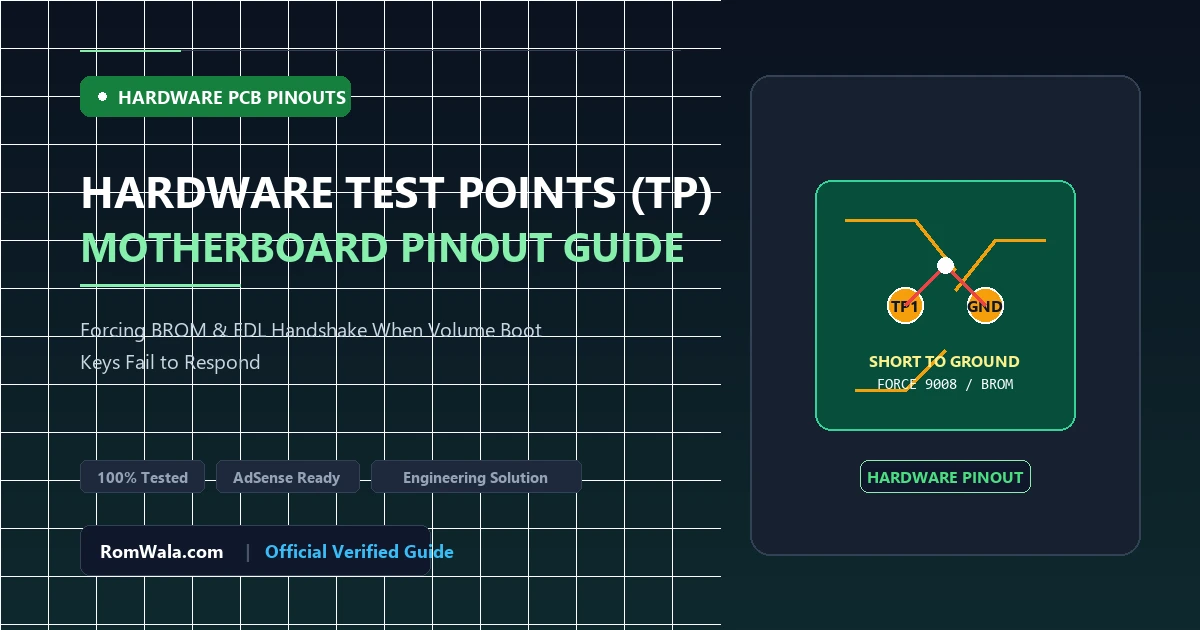
When servicing modern smartphones with severe firmware corruption, mobile technicians often encounter devices that completely ignore physical button combinations. Pressing and holding Volume Down, Volume Up, or Power yields zero response—the phone will not boot into Fastboot Mode, Recovery Mode, or standard USB download mode.
In these critical recovery scenarios, Hardware Test Points (TP) represent the ultimate hardware-level backdoor into the smartphone processor. By shorting dedicated test points to ground during USB power initialization, technicians force the processor’s internal hardware logic to bypass corrupted external flash storage and open its primary emergency programming interface. This guide explores the engineering principles behind test points and how to safely utilize them on repair benches.
Why Hardware Test Points Exist on Motherboards
Smartphone printed circuit boards (PCBs) are complex multi-layer boards designed with automated surface-mount manufacturing in mind. During factory assembly:
- Processors (Qualcomm Snapdragon, MediaTek Dimensity, HiSilicon Kirin, and Unisoc) arrive with completely blank internal SRAM and no operating system on the attached eMMC/UFS storage.
- Hardware design engineers place microscopic circular copper test pads on the motherboard connected directly to the processor’s BOOT_CONFIG pins.
- Automated factory test fixtures (pogo-pin test jigs) make physical contact with these pads to flash the initial factory bootloaders and calibration tables during production.
Why Physical Button Combinations Fail
To understand why test points succeed when buttons fail, technicians must understand how physical buttons operate:
- Physical volume and power keys are not wired directly into the processor’s raw Boot ROM execution registers. Instead, they are monitored by the Power Management IC (PMIC) and read by the Secondary Bootloader (XBL / Preloader).
- When a smartphone suffers from severe partition damage, corrupted GPT tables, or a bad firmware flash, the secondary bootloader cannot execute.
- Because the software code responsible for reading button presses never runs, the phone appears completely unresponsive to key presses.
- The Test Point Advantage: Grounding the hardware test point pulls the processor’s physical boot-strap resistor pin directly to logic low (0V) at the silicon level. The processor hardware logic intercepts this upon VBUS power insertion, immediately launching emergency serial download mode without requiring any software assistance.
Test Point Protocols Across Different Processor Architectures
1. Qualcomm Snapdragon (EDL 9008 Test Points)
- Port Opened:
Qualcomm HS-USB QDLoader 9008 (COMx) - Typical Layout: Two small gold pads positioned side-by-side near the processor RF shielding, or a single gold pad bridged to the metal shield (GND).
- Compatible Tools: QFIL, Mi Flash Tool, QPST, and vendor-specific XML flashers.
2. MediaTek (MTK BROM / KCOLO Test Points)
- Port Opened:
MediaTek USB Port (COMx)in Boot ROM mode. - Label on Schematics: Often labeled
KCOLO(Keypad Column 0),FORCE_USB_BOOT, orCOL0. - Compatible Tools: SP Flash Tool, MTK Client, LibUSB payload utilities.
3. Huawei HiSilicon Kirin (USB COM 1.0 Test Points)
- Port Opened:
HUAWEI USB COM 1.0 - Typical Layout: A single tiny copper test pad near the processor shield bridged to the chassis ground plate.
- Compatible Tools: IDT (Image Download Tool) and OEM factory repair suites.
4. Unisoc / Spreadtrum (SPRD Diag Test Points)
- Port Opened:
SPRD U2S Diag (COMx) - Compatible Tools: SPD Research Tool, UpgradeDownload Tool.
Safe Technician Procedure for Bridging Test Points
Required Workbench Equipment
- Curved fine-point anti-static conductive metal tweezers.
- Precision screwdrivers and plastic opening spudgers.
- Verified motherboard hardware schematic or boardview diagram.
- High-quality USB 2.0 data cable connected to a rear PC motherboard port.
Execution Steps
- Complete Power Disconnection: Disassemble the smartphone back cover and remove motherboard shields. Disconnect the battery connector! Shorting test points with an active battery connected can damage PMIC power rails.
- Clean Contact: Ensure the test point pads are clean of flux, glue, or conformal coating. Gently touch the pad with the tweezers to verify metal contact.
- The Bridge: Firmly bridge the two designated test points together (or bridge the single test point to the nearest gold ground pad or metal shield).
- Insert USB Cable: While maintaining firm, steady pressure with the tweezers, insert the USB cable into the smartphone.
- Release After Chime: Hold contact for exactly 2 to 3 seconds until Windows plays the USB connection sound, then gently remove the tweezers.
- Verify in Device Manager: Open Device Manager. Confirm that the corresponding emergency port (e.g., Qualcomm HS-USB QDLoader 9008) appears stably under Ports (COM & LPT).
Critical Safety Precautions
Warning: Always verify test point locations using trusted hardware schematics before bridging pads. Touching nearby component capacitors on active high-voltage power rails (such as the display backlight rail which carries up to 30V) will destroy the processor's input pins instantly. Never use excessive force with tweezers to avoid gouging multi-layer PCB traces.