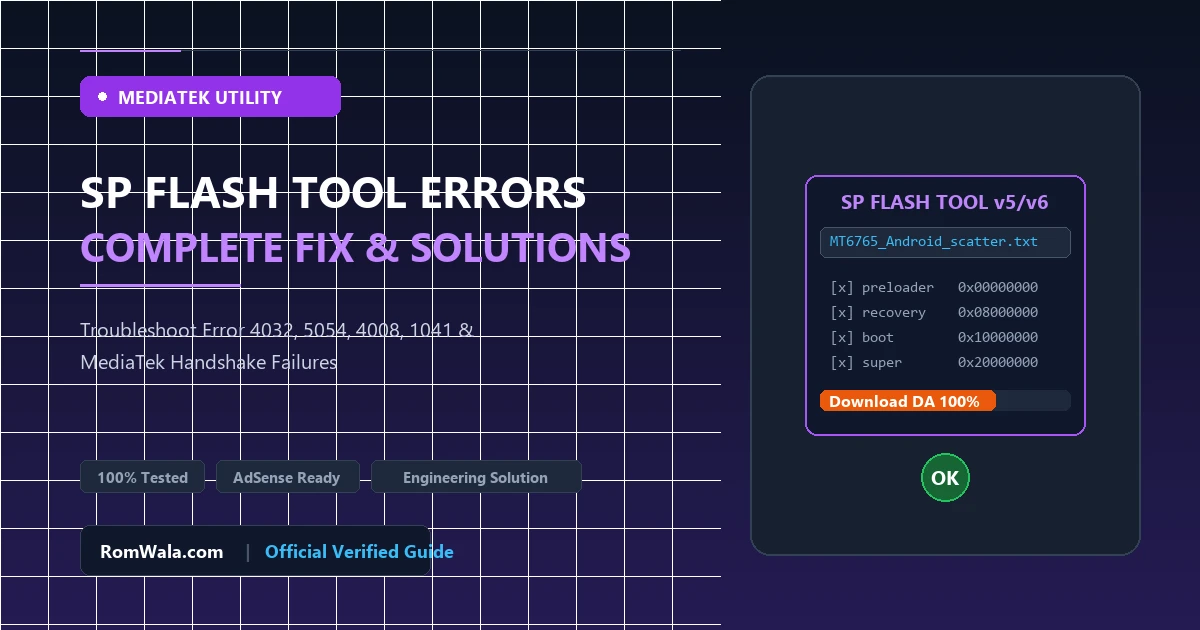
Smart Phone Flash Tool (SP Flash Tool) is the industry-standard servicing application used to flash stock ROMs, restore scatter partitions, and unbrick smartphones powered by MediaTek (MTK) processors. While SP Flash Tool is exceptionally powerful, technicians frequently encounter cryptic error codes during the Boot ROM (BROM) handshake or Download Agent (DA) execution.
Understanding the precise technical root cause behind errors like BROM Error 4032, 5054, 4008, and 1041 is essential to diagnosing whether a flashing failure stems from software corruption, driver timing incompatibilities, mismatched scatter configurations, or degraded eMMC/UFS memory chips. This detailed tutorial provides clear diagnostic logic and step-by-step solutions for every major SP Flash Tool error.
1. Fixing BROM ERROR: S_FT_ENABLE_DRAM_FAIL (4032)
Description: Error 4032 occurs during the initial handshake when SP Flash Tool attempts to initialize and calibrate the device's external DDR RAM (LPDDR3, LPDDR4X, or LPDDR5) using the memory timing parameters embedded within the preloader binary.
Technical Causes:
- Incompatible Preloader: The firmware package you loaded contains an EMI (External Memory Interface) configuration that does not match your phone's specific RAM hardware ID. Many phone models have hardware revisions with different RAM manufacturers (Samsung, Micron, SK Hynix).
- Incorrect Scatter File: The scatter text file maps memory registers meant for a different chipset variant (e.g., MT6765 instead of MT6762).
- Physical Memory Hardware Failure: The eMMC or UFS chip has experienced hardware solder fracture (cracked BGA balls) or internal silicon write exhaustion.
Step-by-Step Fix:
- Verify your smartphone's exact regional and hardware revision model number. Download the 100% verified factory firmware for that exact hardware revision.
- In SP Flash Tool, ensure the correct custom Download Agent (DA) is loaded (e.g.,
DA_SWSEC.binorMTK_AllInOne_DA.bin). - Uncheck all partitions except preloader, attempt flashing to verify if DRAM initializes.
- If flashing an updated Android version, switch download mode from Download Only to Firmware Upgrade (Never use Format All + Download unless restoring blank eMMC replacements).
- Use MTK Client or bypass utilities to verify if BROM communicates without DA authentication timeouts.
2. Fixing BROM ERROR: S_DL_GET_DRAM_SETTING_FAIL (5054)
Description: Error 5054 indicates that the Download Agent successfully communicated with the processor, but the dynamic memory parameters returned from the hardware registers conflict with the scatter file table.
Step-by-Step Fix:
- Ensure the scatter file and all firmware partition files reside in the same folder without spaces, special characters, or long Unicode directory paths (e.g., use
C:\MTK_ROM\). - Open the scatter file in a text editor like Notepad++ and check the
platformtag to confirm it strictly matches your device's MediaTek processor (e.g.,platform: MT6768). - Update SP Flash Tool to the latest stable release (v5.2136 or v6.x for modern Dimensity chipsets).
3. Fixing BROM ERROR: S_FT_DOWNLOAD_FAIL (4008)
Description: Error 4008 typically halts the flashing progress bar midway through transferring large partition blocks like system.img or super.img.
Technical Causes & Solutions:
- USB Power Drops & Cable Impedance: Writing high-throughput data blocks over USB requires continuous signal integrity. Replace worn USB cables with a high-gauge, short data cable and plug directly into the rear USB 2.0 port of your computer motherboard. Avoid USB hubs.
- Low Battery Voltage: If the phone's battery drops below 3.6V during flashing, the power management chip shuts down VBUS lines. Charge the battery externally using a universal charger or DC bench power supply before reflashing.
- Download Agent Buffer Overflow: In SP Flash Tool, navigate to Options > Option > Connection > USB Speed. Switch the USB Speed from High Speed to Full Speed to reduce packet transmission errors over noisy serial lines.
4. Fixing STATUS_SEC_AUTH_FILE_NEEDED / Error 1041
Description: Modern MediaTek processors (Helio P-series, G-series, and Dimensity series) implement Secure Boot Architecture (SLA) and Dynamic Asset Authentication (DAA). When SP Flash Tool attempts to execute the Download Agent without a digitally signed cryptographic authentication key, Error 1041 is raised.
Step-by-Step Fix:
- In SP Flash Tool, look at the third configuration row: Authentication File.
- Load the official brand-specific auth file (e.g.,
auth_sv5.authfor Xiaomi, Oppo, or Vivo devices). - Alternatively, for certified educational and diagnostic hardware servicing, utilize modern open-source BROM handshake utilities (such as Python MTK Client) with LibUSB filter drivers to safely disable SLA/DAA hardware handshake checks before starting SP Flash Tool in Download mode.
Quick Reference: SP Flash Tool Error Diagnostic Matrix
| Error Code | Error Identifier | Primary Root Cause | Action Required |
|---|---|---|---|
| 4032 | S_FT_ENABLE_DRAM_FAIL | Mismatched RAM timings in preloader | Load correct verified firmware revision matching device EMI. |
| 5054 | S_DL_GET_DRAM_SETTING_FAIL | Corrupted scatter parameters or directory paths | Simplify folder path; verify scatter platform matches SoC. |
| 4008 | S_FT_DOWNLOAD_FAIL | USB packet drop, low battery, or buffer overrun | Switch to native USB 2.0 port; charge battery; set Full Speed. |
| 1041 | SEC_AUTH_FILE_NEEDED | Secure Boot (SLA/DAA) requires cryptographic auth | Load official brand Auth file or execute BROM handshake utility. |
Best Practices to Ensure 100% Successful Flashing
- Always run SP Flash Tool with Administrator privileges in Windows (Right-click > Run as administrator).
- Never disconnect the USB cable while the flashing progress bar is red, purple, or yellow. Only unplug after the large green circle Download OK dialog appears.
- Maintain full backups of NVRAM, NVDATA, and SEC_EFS partitions to preserve IMEI and baseband calibration data.