
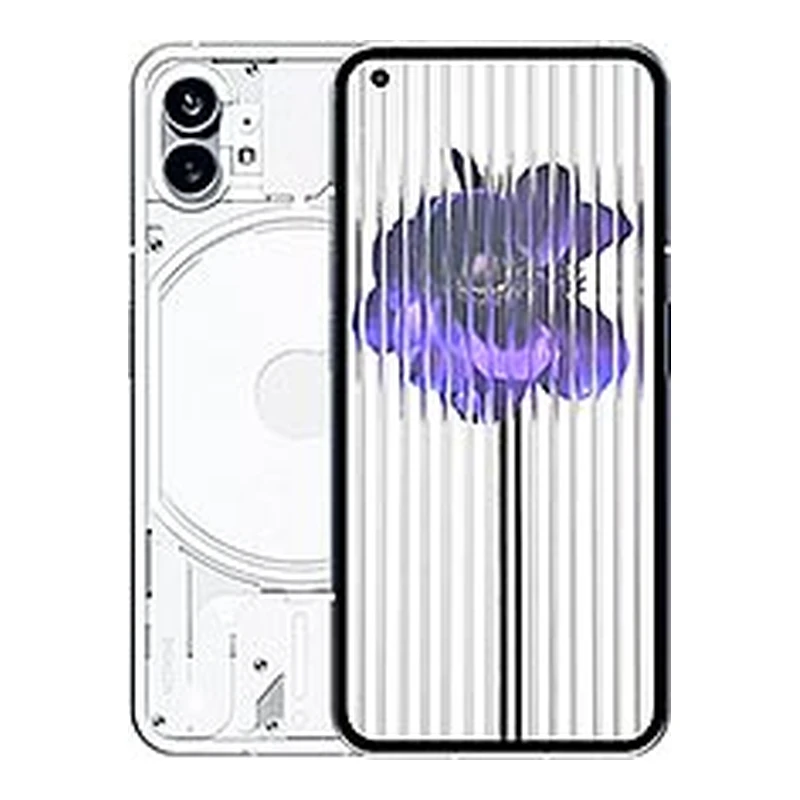
Nothing Phone 2a 23111 Flash File
Download Nothing Phone 2a (23111) official stock ROM flash file. Versions available: OS 3.2 (Android 15/16) and OS 2.6 (Android 14). Powered by MediaTek Dimensity 7200 Pro (4nm) with 8GB/12GB RAM, 500...
69 views
0 downloads
Available Downloads
Loading files...
Full Specifications
Nothing Phone 2a 23111 Flash File
| Description | Official factory flash package for Nothing Phone 2a (model 23111) running Nothing OS based on Android 14/15/16. Powered by MediaTek Dimensity 7200 Pro (4nm) chipset with 5000mAh battery and 45W fast charging. Available in Nothing OS 3.2 and OS 2.6 versions. Flash via EDL/BROM mode using Nothing Flash Tool. Perfect for unbricking dead units, clearing pattern locks, removing FRP, fixing boot loops, and repairing all software related issues after failed updates. |
| Device Name | Nothing Phone 2a |
| Brand | Nothing |
| Model | 23111 / 23111V |
| Chipset | MediaTek Dimensity 7200 Pro (4nm) |
| CPU | Octa-core (2x2.8GHz Cortex-A715 + 6x Cortex-A510) |
| GPU | ARM Mali-G610 MC4 |
| Operating System | Android 14 / 15 / 16 |
| User Interface | Nothing OS 2.6 / 3.2 |
| Available Versions | OS 3.2 (Android 15/16), OS 2.6 (Android 14) |
| RAM Options | 8GB / 12GB LPDDR5 |
| Storage Options | 128GB / 256GB UFS 2.2 |
| Expandable Storage | Not available (no SD card slot) |
| Battery Capacity | 5000mAh Li-Po non-removable |
| Charging Support | 45W fast charging |
| Display | 6.7 inches AMOLED, 120Hz refresh rate |
| Display Resolution | FHD+ 1084 x 2412 pixels |
| Display Protection | Corning Gorilla Glass 5 |
| Network | 5G SA/NSA Dual SIM |
| Rear Camera | 50MP (f/1.88, OIS) + 50MP ultrawide (f/2.2) |
| Front Camera | 32MP (f/2.2) |
| Audio | Dual stereo speakers, no 3.5mm jack |
| Fingerprint | In-display optical sensor |
| Build | Plastic frame with polycarbonate back |
| Water Resistance | IP54 rated |
| Glyph Interface | LED notification lights (3 Glyph lights) |
| Launch Date | March 2024 |
| File Format | Payload.bin / NFT format |
| Flash Tool | Nothing Flash Tool / Fastboot Scripts / SP Flash Tool |
| ROM Type | Official Stock Firmware |
| Working Status | Verified Service Firmware |
Available Firmware Versions
| Nothing OS 3.2 (Latest) | 23111V_release_user_20250620_102126 (Needrom) [citation:1] |
| Nothing OS 3.2 (Alternate) | 23111V_OS_3.2_250527_NFT - 5.44 GB (Whatmydevice) [citation:10] |
| Nothing OS 3.0 | Nothing_Phone_2A_OS_3.0_20241210.zip - 5.28 GB [citation:10] |
| Nothing OS 2.6 | 23111_release_user_20240701_230814 (Needrom) [citation:1] |
| Nothing OS 2.5.6 | Nothing_Phone_2A_V2.5.6_20240522.zip - 5 GB [citation:10] |
| Initial Release | Nothing_Phone_2a_20240322_OTA.zip - 3.49 GB [citation:10] |
Device Specifications
| Chipset | MediaTek Dimensity 7200 Pro |
| Manufacturing Process | 4nm TSMC |
| CPU | Octa-core (2x2.8GHz Cortex-A715 + 6x Cortex-A510) [citation:7] |
| GPU | ARM Mali-G610 MC4 [citation:7] |
| RAM Options | 8GB / 12GB LPDDR5 |
| Storage Options | 128GB / 256GB UFS 2.2 |
| Expandable Storage | Not available |
| Battery Capacity | 5000mAh |
| Charging Support | 45W fast charging (0-100% in ~1 hour) |
| Display | 6.7 inch AMOLED, 120Hz adaptive refresh rate |
| Display Resolution | FHD+ 1084 x 2412 pixels (~394 PPI) [citation:7] |
| Display Brightness | 1300 nits peak [citation:7] |
| Network | 5G SA/NSA Dual SIM [citation:7] |
| Operating System | Nothing OS (Android 14/15/16) |
| Rear Camera (Main) | 50MP Samsung GN9, f/1.88, OIS [citation:7] |
| Rear Camera (Ultrawide) | 50MP Samsung JN1, f/2.2, 114° [citation:7] |
| Front Camera | 32MP Sony IMX615, f/2.2 [citation:7] |
| Video Recording | 4K@30fps, 1080p@30/60fps |
| Audio | Dual stereo speakers, USB-C audio |
| WiFi | Wi-Fi 6 (802.11 a/b/g/n/ac/ax) [citation:7] |
| Bluetooth | Bluetooth 5.3 [citation:7] |
| USB | USB Type-C 2.0 |
| Fingerprint | In-display optical |
| Water Resistance | IP54 (splash resistant) [citation:7] |
| Glyph Interface | 3 LED notification lights |
| Dimensions | 162.1 x 76.4 x 8.6 mm |
| Weight | 190g [citation:2][citation:7] |
| Launch Date | March 2024 [citation:7] |
Nothing OS 3.2 Features
| Android 16 Upgrade | Latest OS version with enhanced features |
| Refined UI | Smoother animations and cleaner interface |
| New Widgets | Additional home screen customization options |
| Camera Improvements | Enhanced image processing and stability |
| Security Updates | Latest security patches |
| Performance Optimization | Improved system responsiveness |
| Glyph Updates | New Glyph interface features and patterns |
What This Flash File Fixes
| Dead Unit | Revive completely non-responsive device |
| Boot Hang | Stop endless logo cycling at startup |
| Screen Lock | Remove pattern, PIN, password, or fingerprint |
| FRP Lock | Bypass Google account verification lock |
| Software Upgrade | Move to newer Nothing OS builds |
| Software Downgrade | Roll back to previous version if needed |
| System Lag | Fix stutter and performance drops |
| Root Removal | Return to factory state after rooting |
| Warranty Return | Restore stock for official warranty support |
Stock ROM Advantages
| Unbrick Device | Revive completely dead or non-responsive phone |
| Fix Bootloop | Stop device stuck endlessly on logo screen |
| Version Change | Upgrade to newer build or downgrade to older stable version |
| Root Removal | Remove root access and return to factory state |
| Bug Elimination | Fix random glitches and system errors |
| Lag Fix | Remove stutter and improve system smoothness |
| Lock Removal | Erase forgotten pattern, PIN, or password |
| FRP Bypass | Remove Google account verification lock |
| Warranty Restore | Return to stock to regain official warranty coverage |
Key Features of Nothing Phone 2a
| Dimensity 7200 Pro | 4nm exclusive processor for Nothing devices [citation:7] |
| 5000mAh Battery | 45W fast charging |
| 50MP Dual Camera | 50MP main (OIS) + 50MP ultrawide [citation:7] |
| 32MP Selfie Camera | Sony IMX615 sensor [citation:7] |
| 120Hz AMOLED Display | 6.7 inch FHD+ with 1300 nits brightness [citation:7] |
| Glyph Interface | 3 LED notification lights |
| Nothing OS | Clean, minimal Android experience |
| IP54 Rating | Splash resistant [citation:7] |
| 5G Connectivity | Next generation network connectivity |
Pre-Flash Requirements
| Check Version First | Check current build in Settings → About Phone |
| Battery | Keep charge at 70 percent or above (5000mAh battery) |
| USB Cable | Original Nothing USB data cable |
| USB Port | Use direct motherboard USB port for stability |
| Drivers | Install MediaTek USB VCOM drivers |
| Flash Tool | Nothing Flash Tool / Fastboot Scripts / SP Flash Tool |
| Authorization | EDL access may require authorized service account or MTK Bypass |
| Backup Warning | All user data will be erased during process |
| Device Model | Confirm your device is 23111/23111V - wrong firmware bricks phone |
| PC OS | Windows 10 or 11 64-bit recommended |
How to Enter EDL Mode
| Method 1 (ADB) | adb reboot edl - if device boots and USB debugging is enabled [citation:6] |
| Method 2 (Key Combo) | Power off completely → Press and hold Volume Up + Down keys → Connect USB cable [citation:6] |
| Method 3 (Recovery) | Boot to recovery → Reboot → EDL mode [citation:6] |
| Method 4 (TWRP) | If TWRP installed, reboot to EDL from recovery menu [citation:6] |
| Device Manager Detection | Look for 'MediaTek USB Port' or 'Preloader' device [citation:6] |
| Screen State | Screen stays black - this is normal for EDL mode [citation:6] |
| Auto Reboot | If not connected to tool, device may auto-reboot after ~10 seconds [citation:6] |
Flashing Steps - Nothing Flash Tool (EDL/BROM Mode)
| Step 1 | Download and extract firmware package (ZIP file) and Nothing Flash Tool |
| Step 2 | Install MediaTek USB VCOM drivers on your computer |
| Step 3 | Run Nothing Flash Tool as administrator |
| Step 4 | Click Start button to prepare for flashing |
| Step 5 | Power off Nothing Phone 2a completely |
| Step 6 | Press and hold Volume Up + Volume Down keys together |
| Step 7 | Connect USB cable while holding both keys firmly |
| Step 8 | Device enters BROM/EDL mode (screen stays black) [citation:6] |
| Step 9 | Nothing Flash Tool will detect device automatically |
| Step 10 | Flashing starts automatically - watch progress bar |
| Step 11 | Wait for 'Download Complete' or 'Pass' success message |
| Step 12 | Disconnect USB cable from phone |
| Step 13 | Hold Power button 15 to 20 seconds to reboot device |
| Step 14 | First boot takes 5 to 10 minutes - be patient |
| Step 15 | All done - device is now restored |
Alternative Method - Fastboot Scripts (Bootloader Unlocked)
| Step 1 | Unlock bootloader before proceeding |
| Step 2 | Download Nothing Flasher script from GitHub [citation:4] |
| Step 3 | Extract payload.bin from firmware using payload_dumper_go [citation:4] |
| Step 4 | Place the extracted .img files in the same folder as the script |
| Step 5 | Boot device into fastboot mode (Volume Down + Power) |
| Step 6 | Double-click flash_all.bat (Windows) or bash flash_all.sh (Linux/Mac) [citation:4] |
| Step 7 | Wait for script to flash all partitions |
| Step 8 | Device will reboot automatically |
EDL/BROM Mode Detection
| Screen State | Blank black screen only (no display at all) [citation:6] |
| Device Manager | Look for 'MediaTek USB Port' or 'Preloader' device |
| Driver Issue | Unknown device shows when drivers missing |
| Key Combo Fail | Some units need EDL cable or test point method |
| Auth Bypass | May need MTK Bypass Tool for authentication |
| Auto Reboot | Phone will auto-reboot after ~10 seconds if not connected to tool [citation:6] |
FRP Bypass Methods
| Method 1 - Stock ROM Flash | Flashing stock ROM removes FRP automatically |
| Method 2 - Nothing FRP Tool | Available tools for Nothing Phone 2a |
| Method 3 - MTK Client | Use Python-based MTK Client for FRP reset |
Nothing OS Update History
| Nothing OS 3.2 | June 2025 - Latest version for Phone 2a [citation:1][citation:10] |
| Nothing OS 3.0 | December 2024 - Major feature update [citation:10] |
| Nothing OS 2.6 | July 2024 - Android 14 update [citation:1] |
| Nothing OS 2.5.6 | May 2024 - Early update [citation:10] |
| Nothing OS 2.5.5a | April 2024 - ChatGPT integration [citation:7] |
| Nothing OS 2.5.5 | March 2024 - Initial release [citation:7] |
Important Warnings Before Flashing
| Warning 1 | Please backup all personal data before starting flashing process |
| Warning 2 | Logout from Nothing and Google cloud service account before flashing |
| Warning 3 | Turn off Find My Device or phone tracking feature |
| Warning 4 | Battery should be charged up to 70 percent minimum |
| Warning 5 | Use original Nothing USB cable for stable connection |
| Warning 6 | Android 10+ software versions cannot be rolled back to older Android |
| Warning 7 | Rollback attempt will cause phone not to turn on |
| Warning 8 | Never disconnect USB cable during active flash operation |
| Warning 9 | EDL flashing may require authorized service credentials or MTK Bypass |
| Warning 10 | Ensure correct firmware for 23111/23111V model only |
Troubleshooting Common Errors
| Device Not Detected | Reinstall MediaTek drivers, try different USB port, use EDL mode [citation:6] |
| Phone Auto Reboots | Phone reboots ~10 seconds after connection if tool not ready - click Start before connecting [citation:6] |
| Force Restart | Press and hold Power + Volume Down for 15 seconds until phone vibrates [citation:8] |
| Recovery Mode | Power off → Press and hold Power + Volume Up until logo appears [citation:8] |
| Driver Conflict | Uninstall MTKClient or other MediaTek tools to avoid driver conflicts |
| SP Flash Tool Error | Use Nothing Flash Tool instead of SP Flash Tool for better compatibility |
Disclaimer
| Risk Statement | Flashing or unlocking operations are performed at your own risk |
| No Liability | We are not responsible for any mistakes that brick your device |
| Read Instructions | Review all flashing steps carefully before beginning the process |
| Correct File | Use firmware intended only for 23111 model |
| Driver Check | Ensure MediaTek drivers are properly installed |
| No Interruption | Do not disconnect USB cable or close tool during flashing |
| Warranty Void | Flashing may void device warranty |
Download Information
| Provider | RomWala / Needrom [citation:1] / Whatmydevice [citation:10] |
| OS 3.2 (Needrom) | 23111V_release_user_20250620_102126 [citation:1] |
| OS 3.2 (Whatmydevice) | 23111V_OS_3.2_250527_NFT - 5.44 GB [citation:10] |
| OS 3.0 | Nothing_Phone_2A_OS_3.0_20241210.zip - 5.28 GB [citation:10] |
| OS 2.6 | 23111_release_user_20240701_230814 [citation:1] |
| OS 2.5.6 | Nothing_Phone_2A_V2.5.6_20240522.zip - 5 GB [citation:10] |
| Initial Release | Nothing_Phone_2a_20240322_OTA.zip - 3.49 GB [citation:10] |
| Nothing Flash Tool | Official tool - Included |
| MediaTek Drivers | USB VCOM drivers - Included |
| Nothing Flasher Script | Available on GitHub [citation:4] |
| Format | ZIP compressed archive (Payload.bin / NFT format) |
| Extraction Tool | 7-Zip or WinRAR |
Search Tags
| Tag 1 | Nothing Phone 2a Flash File |
| Tag 2 | 23111 Stock ROM |
| Tag 3 | Nothing OS Firmware |
| Tag 4 | Dimensity 7200 Pro Flash File |
| Tag 5 | Nothing Flash Tool Guide |
| Tag 6 | FRP Bypass Nothing Phone 2a |
| Tag 7 | Pattern Unlock Nothing Phone |
| Tag 8 | Dead Boot Repair Dimensity |
| Tag 9 | EDL Mode Flash Nothing |
| Tag 10 | Nothing OS 3.2 Update |
| Tag 11 | Nothing Phone 2a Unbrick |
| Tag 12 | RomWala Flash File Download |
Nothing Phone 2a 23111 Flash File - Description
Download Nothing Phone 2a (23111) official stock ROM flash file. Versions available: OS 3.2 (Android 15/16) and OS 2.6 (Android 14). Powered by MediaTek Dimensity 7200 Pro (4nm) with 8GB/12GB RAM, 5000mAh battery with 45W fast charging. Flash via Nothing Flash Tool in EDL/BROM mode. Fix dead boot, pattern lock, FRP. Direct link below.
Tags:
#NothingPhone2a #23111 #NothingOS #Dimensity7200Pro #EDLFlashFile #StockROM #DeadBootFix #FRPBypass #NothingFlashTool #Mediatek
Tags:
#NothingPhone2a #23111 #NothingOS #Dimensity7200Pro #EDLFlashFile #StockROM #DeadBootFix #FRPBypass #NothingFlashTool #Mediatek




Comments (0)